
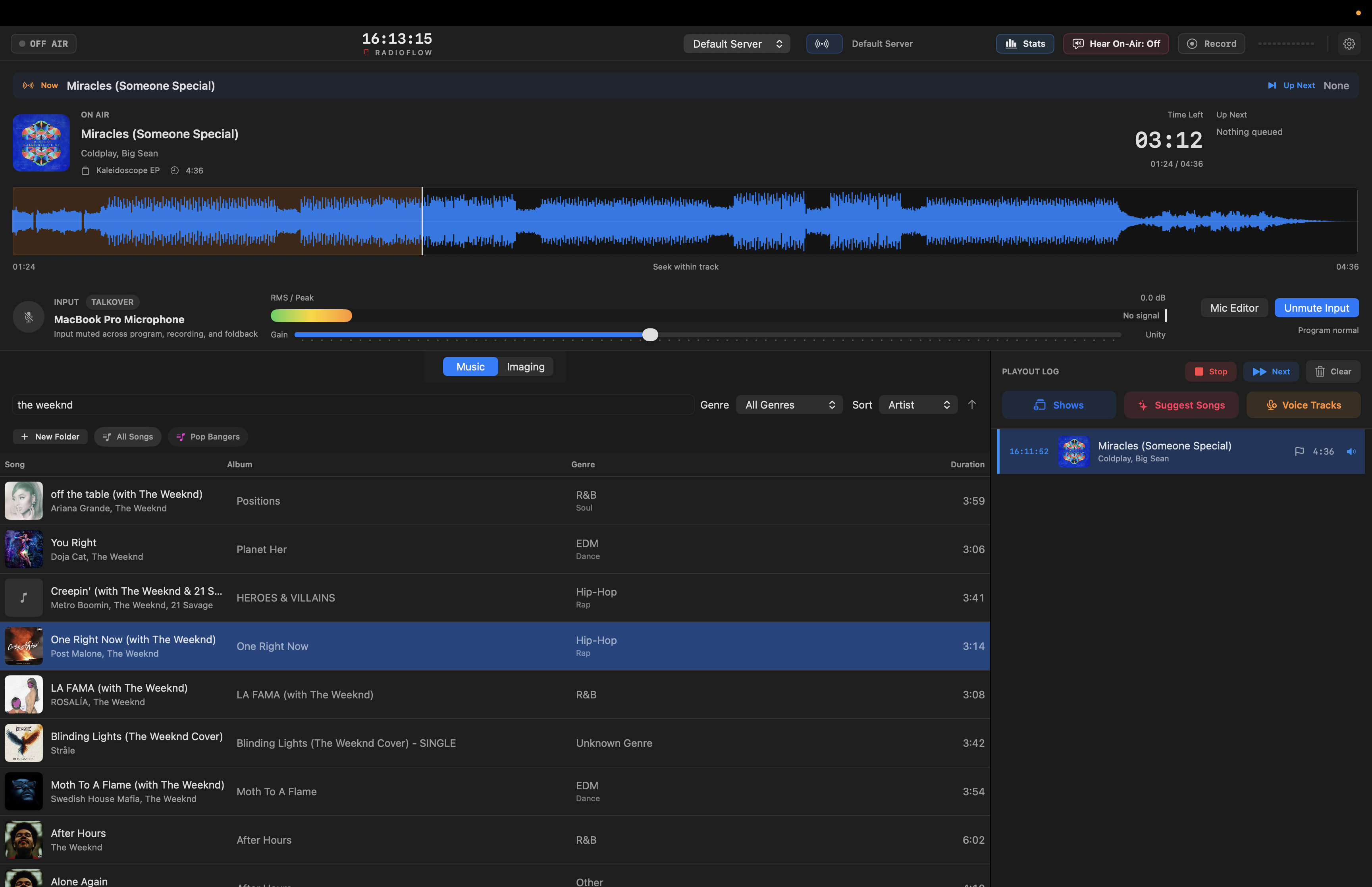
01 / main desk
Live playout
Decks, meters, microphone state, now playing, and up next stay in one view.
The live view keeps the core broadcast context together: what is playing, what is next, microphone state, meters, and the running log.
RadioFlow is in a testing phase. We are looking for feedback, the app is not yet ready for purchase, and every user has unlimited access until further notice.
All-in-one radio automation and broadcasting software for macOS.
Playout, music and imaging libraries, waveform segue editing, microphone controls, audio routing, and Icecast/Shoutcast broadcasting in one native Mac app. Everyone gets unlimited access during the testing phase.
My name is Caden, and I am an Honors Computing Science student at the University of Alberta. I started building RadioFlow because I kept running into the same problem: intuitive radio automation and broadcasting tools were hard to find on macOS.
I have volunteered at multiple online radio stations, and the setup always felt more complicated than it needed to be. One app for music, another for the microphone, and another app entirely to do the actual broadcasting. RadioFlow is my attempt to put those pieces into one package that feels natural on a Mac.
The app is still being shaped by early users. We are looking for feedback, and everyone gets unlimited access during the testing phase. Practical notes are what help most: what felt clear, what got in the way, and what would make it useful for a real show.
The main views are built around real station work: library prep, live playout, mic control, segue editing, show management, and broadcasting.
01 / main desk
Decks, meters, microphone state, now playing, and up next stay in one view.
The live view keeps the core broadcast context together: what is playing, what is next, microphone state, meters, and the running log.
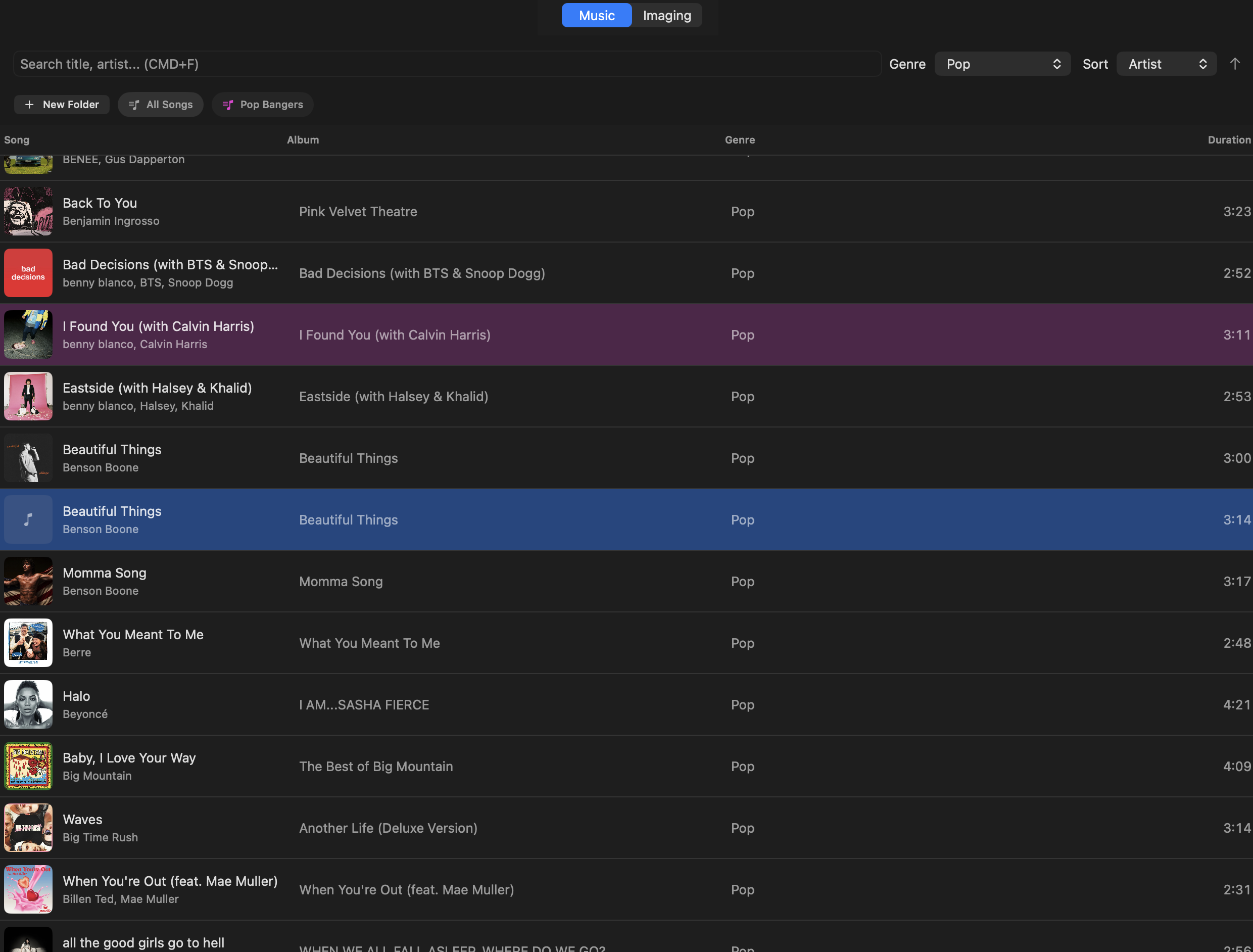
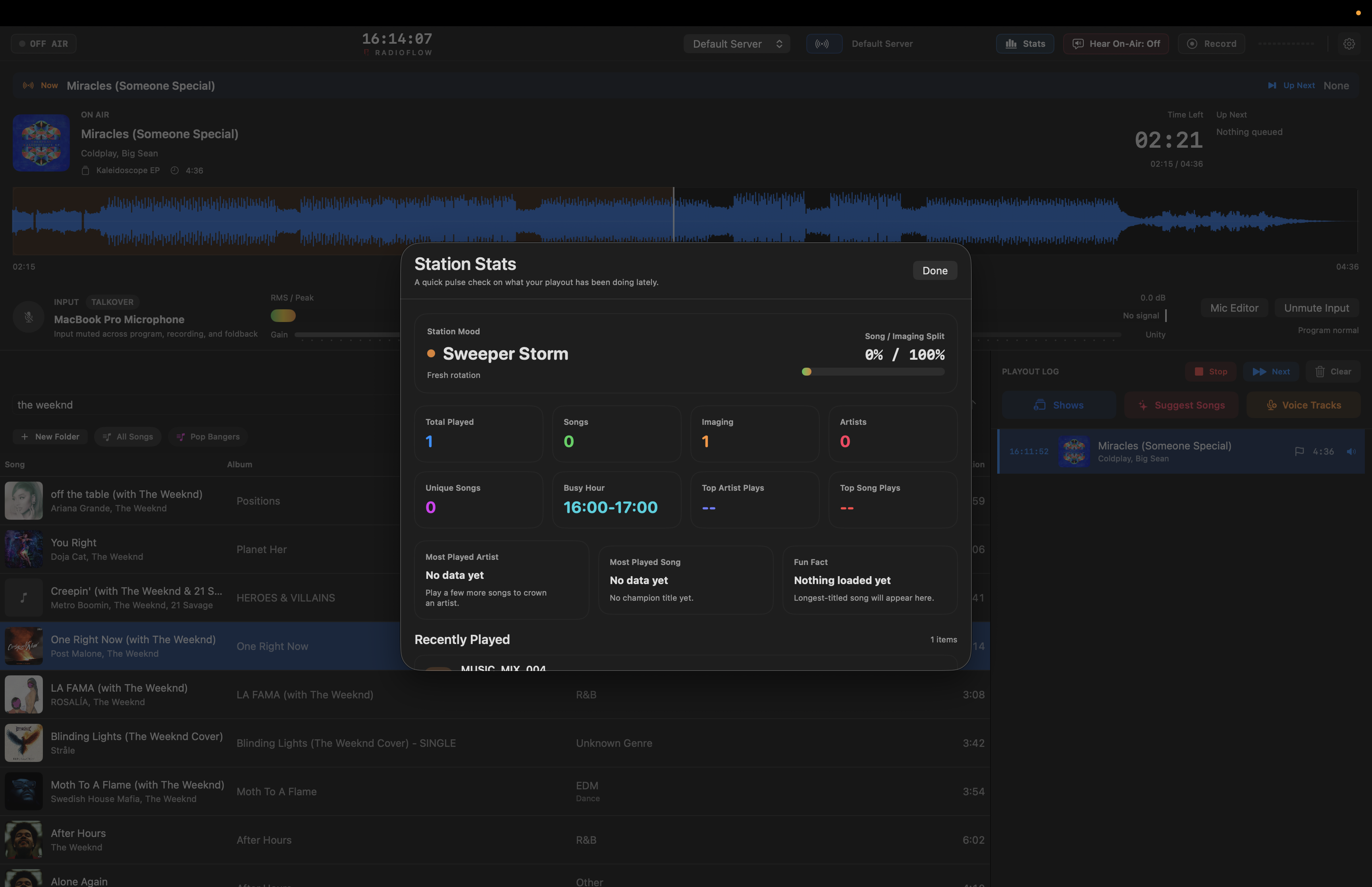
02
Search, sort, preview, and add tracks without leaving the main workflow.
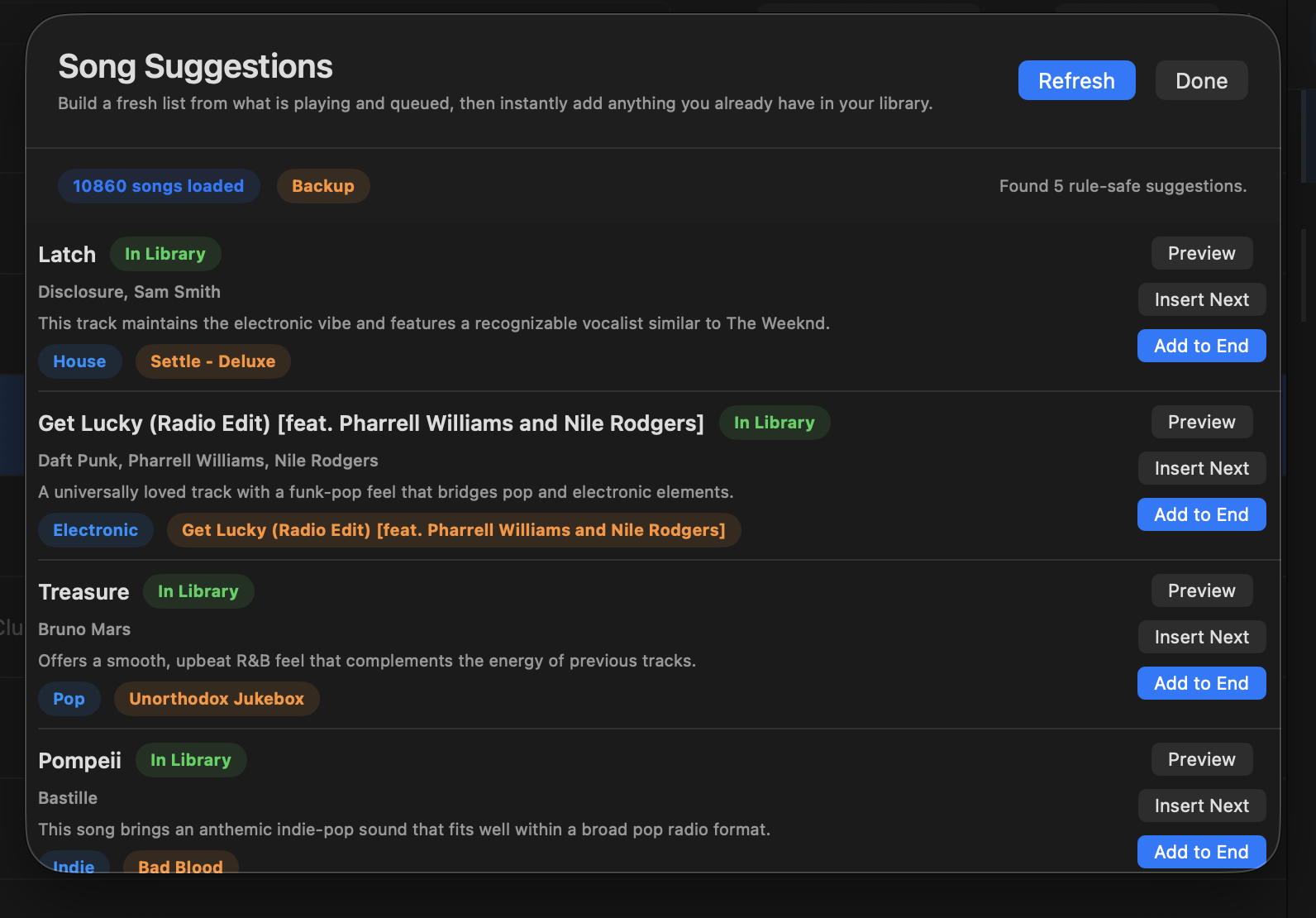
03
Build fresh song ideas from the current show context and add tracks you already have.
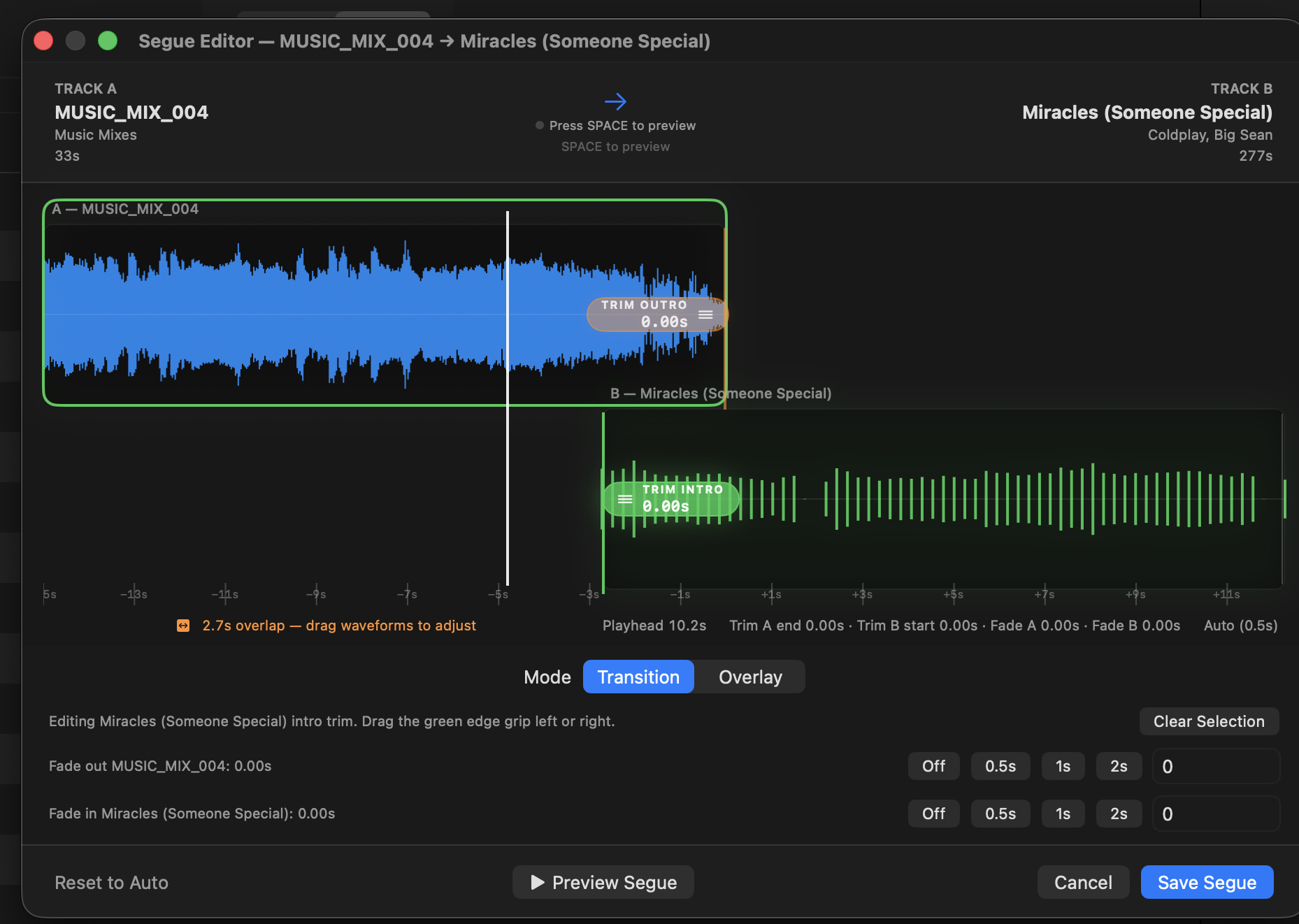
04
Adjust overlap and transition points with a clear waveform view.
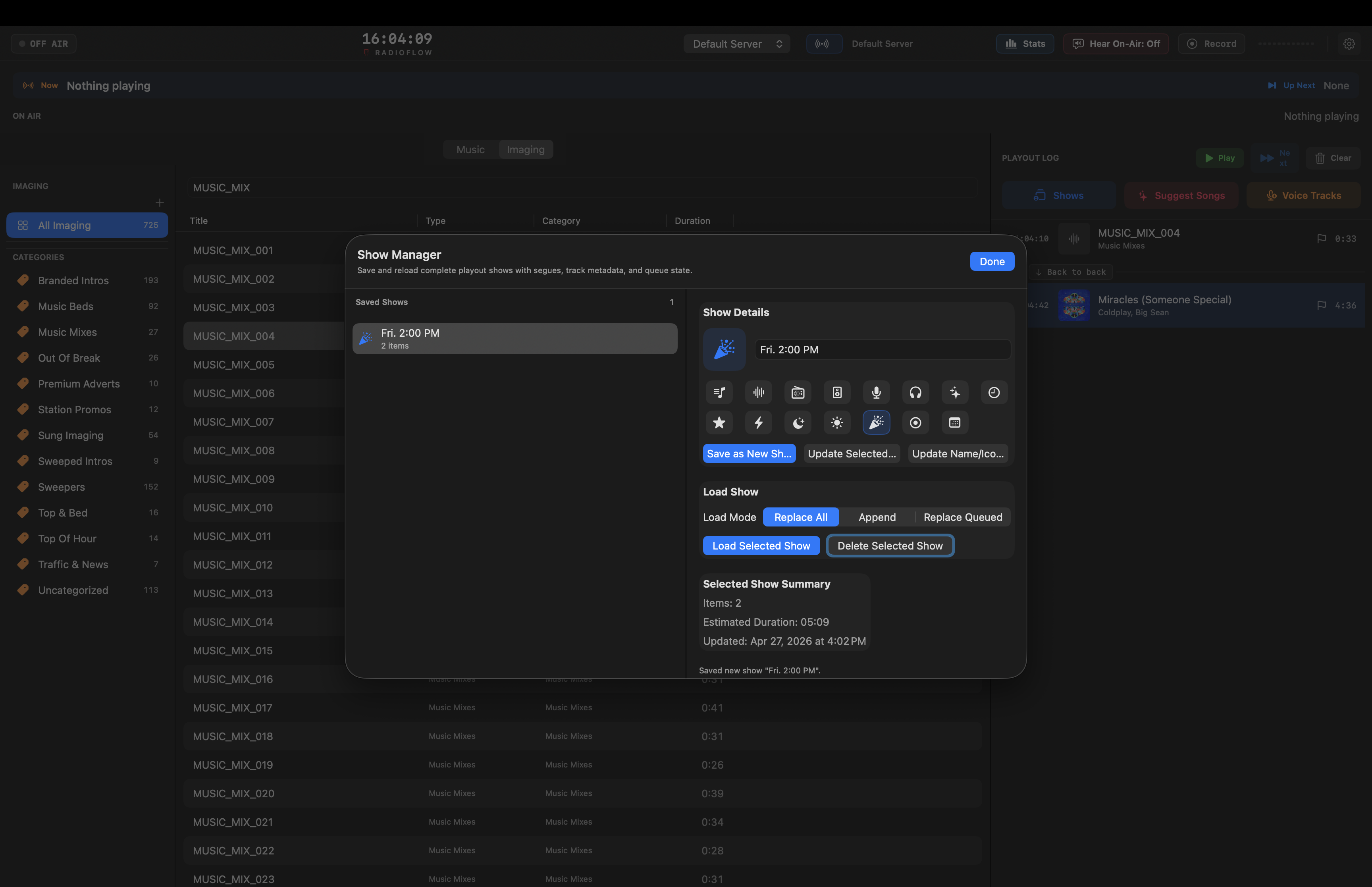
05
Save shows, reload them, append them, or replace the current queue.
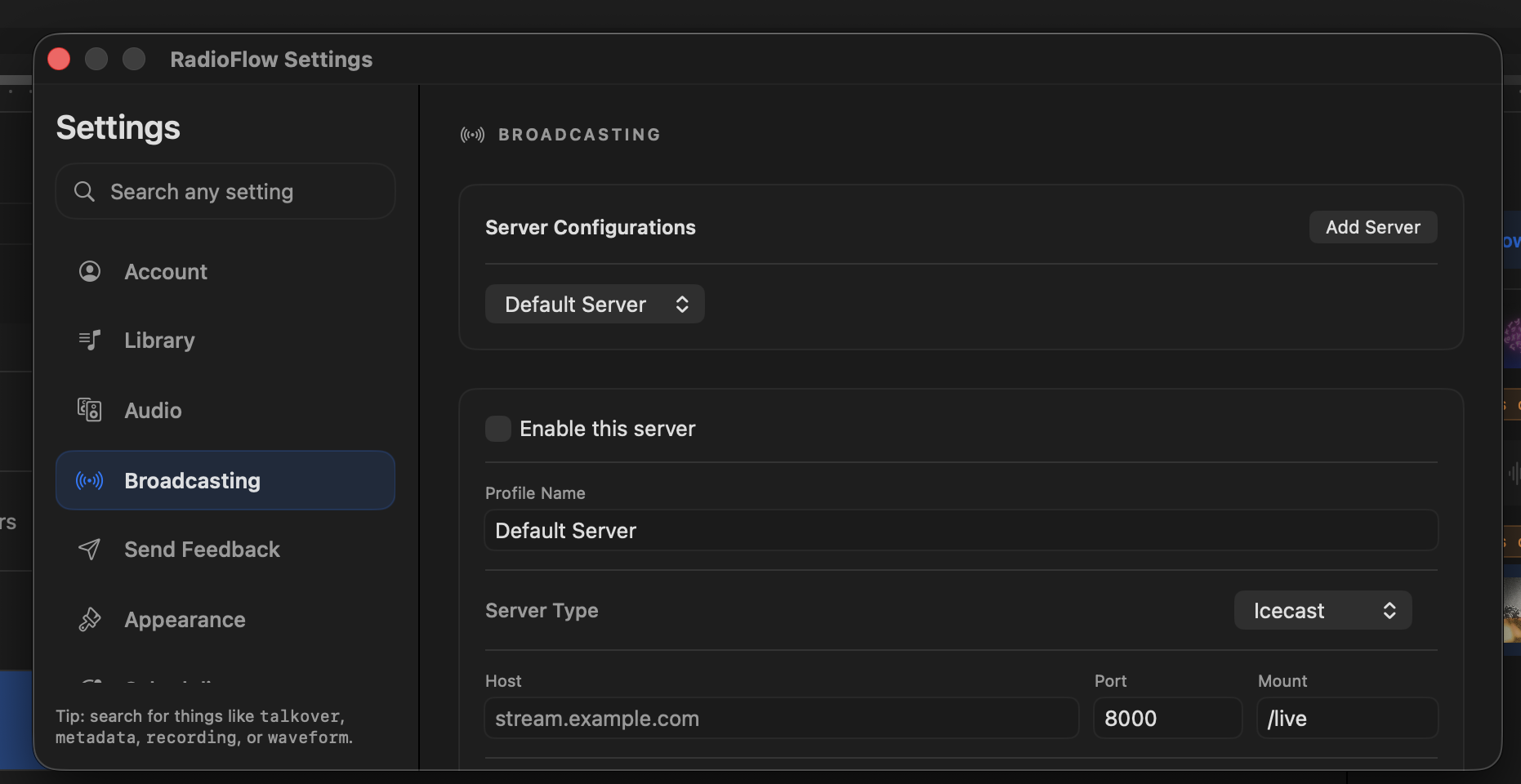
06
Configure Icecast and Shoutcast servers, codecs, bitrate, reconnects, and stream metadata.
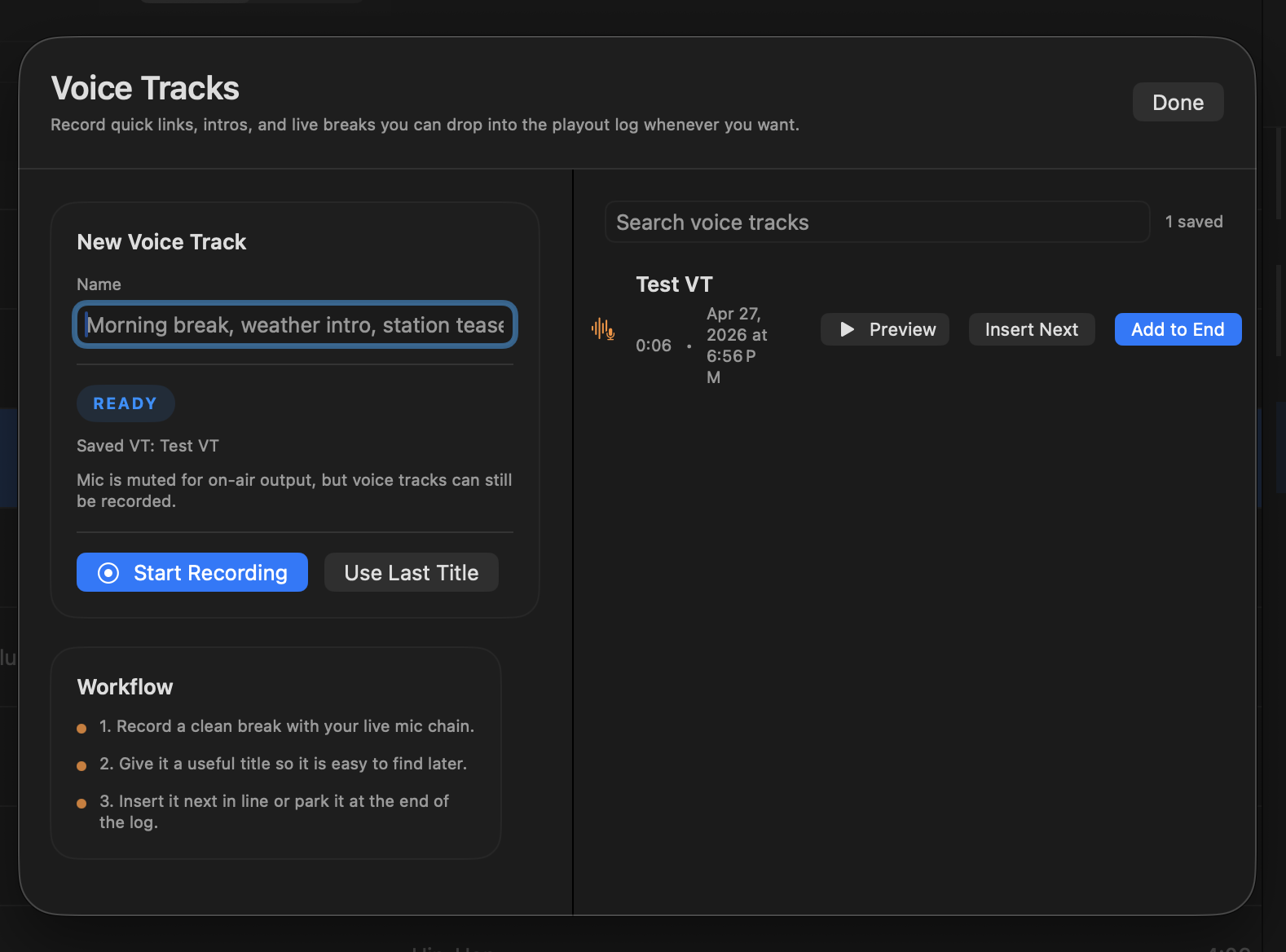
07
Record quick breaks, links, intros, and talk segments for the playout log.
Join the RadioFlow mailing list to get the latest updates right to your inbox. We promise to send you only the important stuff.
Platform support, account setup, routing, and what RadioFlow can do during the testing phase.
RadioFlow looks at your folders when you import. If you already keep beds, sweepers, promos, or stings in separate folders, it uses that structure.
Yes. Use CMD+F to search the library quickly, including larger collections with thousands of tracks.
Yes. Select a track and press Space. Preview stays separate from the live output.
That is the goal. It is built for live macOS playout, and trial feedback is helping tighten up the rough edges.
The current build needs macOS 13 Ventura or newer.
Yes. You can route preview and program audio to separate devices.
Yes. RadioFlow can send audio to Icecast or Shoutcast and pass along stream metadata.
Yes. There are mic controls for gain, ducking, compression, EQ, ambience, and voice tracks.
Yes. You can save a show and bring it back later, either replacing the current queue or appending to it.
Yes. Automation lives in the playout log. You can build clocks, generate a show, and use Spotify playlists as matching guides for songs already in your library.
Nothing right now. RadioFlow is in a testing phase, billing is paused, and everyone has unlimited access until further notice.
Anything practical: setup problems, confusing screens, missing shortcuts, audio routing issues, or things that felt awkward during a real show.
Create an account, confirm your email, download the macOS app, and sign in. Unlimited access is already on during the testing phase.
Create an account, download the app, and sign in. We are still collecting feedback, so purchase is paused and everyone gets unlimited access until further notice.